
Home Office Design Ideas
Create a comfortable, focused, and attractive workspace with practical home office design ideas for every room, budget, and work style.
Introduction
The best home office design ideas do more than make a room look polished. They help you work with less physical strain, fewer visual distractions, and a clearer sense that the workday has a beginning and an end. Whether you work remotely every day, handle household paperwork once a week, or need a reliable spot for creative projects, a thoughtful office can make a meaningful difference in how the space feels and functions.
Start with the way you actually use the room rather than a particular decorating style. Think about the tasks you do, the equipment you need within reach, how often you take calls, and whether other people share the space. A great office may be a dedicated room, a bedroom corner, a finished basement nook, or a carefully planned section of a living area. The goal is to give every needed function a sensible place.
This guide walks through location, layout, ergonomic comfort, lighting, storage, technology, and finishing details. Use it as a planning framework, then adapt the ideas to your home’s size, architecture, natural light, and budget.
1. Start With Your Work Pattern and Space Requirements
Before moving furniture, write a simple list of your regular work activities. Someone who spends most of the day on a laptop has different needs from a person who sketches, manages physical files, records video calls, or runs a small business from home. Include less obvious needs, such as a printer, charging station, sample storage, room for a second monitor, or a surface for signing documents.
Create zones, even in a small office
Most productive offices benefit from three basic zones: a primary work zone, a support zone, and a reset zone. The primary zone holds the desk, chair, screen, keyboard, and task lighting. The support zone holds supplies, files, and technology that do not need to occupy the desktop. A reset zone can be as simple as a clear chair for reading or a narrow ledge for setting down a cup while you stretch.
In a compact setup, zones can overlap. A rolling drawer unit may be storage during the day and a side table when you take a break. The important point is that frequently used items are close enough to avoid repeated reaching or getting up, while visual clutter is kept out of your immediate line of sight.
Measure equipment before buying furniture
Measure the footprint of monitors, docking stations, desktop computers, printers, and any desk accessories you already own. Also measure door swings, closet doors, radiators, and windows. A desk that looks ideal online can become awkward if it blocks a passage, leaves no room for a chair to roll back, or puts a monitor too close to your face.
Make a quick floor plan on graph paper or use painter’s tape to outline the desk on the floor. Testing the footprint first helps reveal whether you need a straight desk, an L-shaped desk, a wall-mounted work surface, or a smaller writing desk paired with vertical storage.
2. Choose the Right Location Before Choosing the Decor
A separate room is convenient, but it is not the only workable option. Look for a location with enough electrical access, reasonable privacy, and a layout that supports your routine. A guest room, underused dining room, wide hallway landing, converted closet, or portion of a finished basement can all work when planned deliberately.
Balance focus, daylight, and household activity
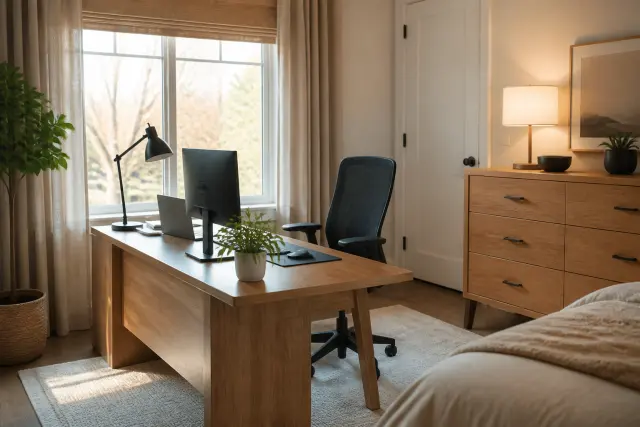
Natural light can make an office feel more pleasant and reduce the cave-like feeling of a long workday. Position the desk so daylight comes from the side when possible. Facing directly into a bright window can cause glare, while sitting with a window behind you can make video calls harder because your face may appear shadowed. Adjustable window shades give you more control as daylight changes.
Consider sound and traffic patterns too. An open area near the kitchen may be fine for short administrative tasks but frustrating for concentrated work or confidential calls. If the only available location is a shared room, place the desk away from the most traveled path and use a bookcase, folding screen, or tall plant to create a modest visual boundary.
Plan for the room beyond office hours
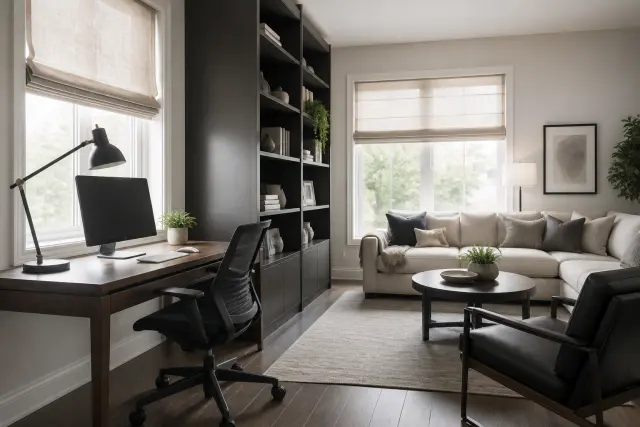
In a multipurpose room, choose furnishings that let the office recede when work is done. A cabinet-front desk, a closed storage credenza, or a desk that visually matches the surrounding furniture can make the arrangement feel intentional. Keep work supplies contained so the room can still serve guests, meals, or family life without a constant pile of office materials.
3. Build a Layout That Supports Movement
Good home office layout is largely about circulation. You should be able to enter the space, sit down, stand up, and reach storage without squeezing around furniture. Leave room behind the chair for it to move back, and avoid placing a desk where an opened drawer or cabinet door blocks the only walkway. In especially tight rooms, sliding doors, wall shelves, and pull-out keyboard trays can save valuable clearance.
Use the wall as a planning tool
Wall-facing desks are efficient and can help limit distractions, especially in a shared room. A desk facing into the room feels more open and can create a better backdrop for calls, but it requires more floor area and a plan for cords. A desk placed perpendicular to a window often provides a useful compromise: side light, a view when you glance up, and less screen glare than a front-facing arrangement.
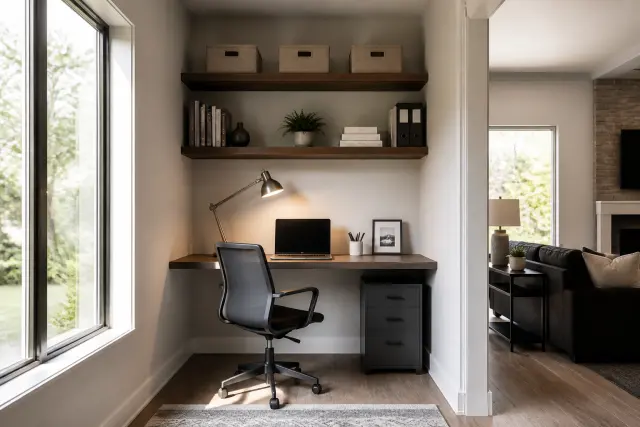
L-shaped desks can provide generous work surface in a corner, but only if both sides are genuinely useful. If one wing becomes a landing place for clutter, a narrower desk plus a separate storage unit may serve you better. In a small room, floating shelves above a compact desk often deliver more capacity than a deeper desktop.
Keep work and rest visually distinct
When an office is in a bedroom, try not to make the desk the first thing you see from the bed. A screen, tall dresser, or change in wall treatment can establish a visual break. This is not just decorative: separating work materials from your rest area makes it easier to put work away at the end of the day.
4. Make Ergonomics the Foundation of Your Desk Setup
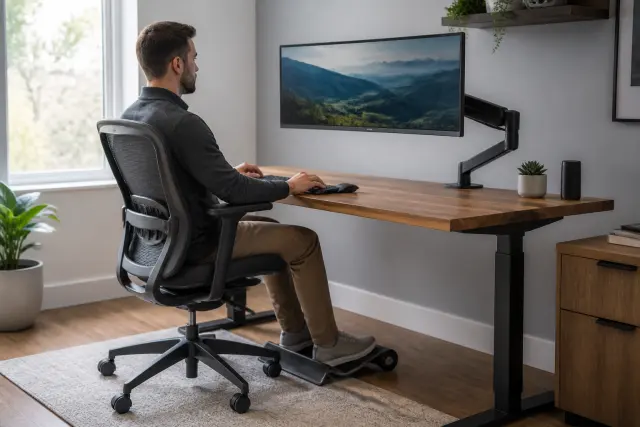
An attractive office cannot compensate for a setup that leaves you sore. Begin with the chair, because it determines your relationship to the desk, floor, keyboard, and screen. Adjust the chair so your feet rest flat on the floor or on a stable footrest, your back is supported, and your elbows can stay close to your body while you type.
Set desk and monitor height thoughtfully
For most people, the keyboard and mouse should be positioned so the shoulders can stay relaxed and the wrists remain fairly neutral rather than bent sharply up or down. If a fixed-height desk is too tall after the chair is adjusted, use a footrest rather than raising the chair until your feet dangle. If the desk is too low, sturdy desk risers or a replacement work surface may be better solutions than slumping.
Place the main monitor directly in front of you, with the top portion of the screen near eye level for your personal comfort. The exact position varies with screen size, vision needs, and posture, so make small adjustments and notice how your neck feels. With two monitors, put the primary screen in front and the secondary one close beside it, or center the pair if you use both equally.
Choose flexibility over a single perfect posture
A sit-stand desk or desktop converter can be useful, but changing position matters more than standing constantly. Set up a standing arrangement that still keeps the keyboard and monitor at workable heights. Take short movement breaks, look away from the screen periodically, and avoid treating any one posture as the only healthy posture.
5. Select Seating and Surfaces for Everyday Durability
A task chair should fit both your body and your work style. Look for adjustable seat height and back support at a minimum; adjustable armrests, seat depth, and tilt controls can be valuable when you sit for long periods. If you prefer a more decorative chair in a visible living area, make sure it still allows stable sitting and suitable keyboard height. A beautiful dining chair is rarely comfortable for an entire workday without modifications.
Protect floors and improve chair movement
Chair casters should match the floor type. Hard casters may scratch some wood or laminate floors, while soft casters may roll poorly on thick carpet. A properly sized chair mat can protect the surface and make rolling easier, but choose one that lies flat and does not create a tripping edge. Check it occasionally for cracks, curling, or debris underneath.
Desk materials should fit the level of use. Solid wood, veneer, laminate, metal, and durable composite surfaces can all work well. What matters is a stable frame, a surface that can tolerate your equipment, and edges that are comfortable against your forearms. If you write by hand often, test whether the surface texture is pleasant and whether a desk pad would help.
Make reaching easy
Keep your mouse, phone, notebook, and daily tools within an easy reach zone. Store occasional supplies farther away. This simple arrangement reduces repetitive twisting and makes the desktop feel calmer. If you use a laptop as your primary computer, a separate keyboard and mouse can make it much easier to raise the screen to a comfortable viewing position.
6. Layer Natural and Artificial Light
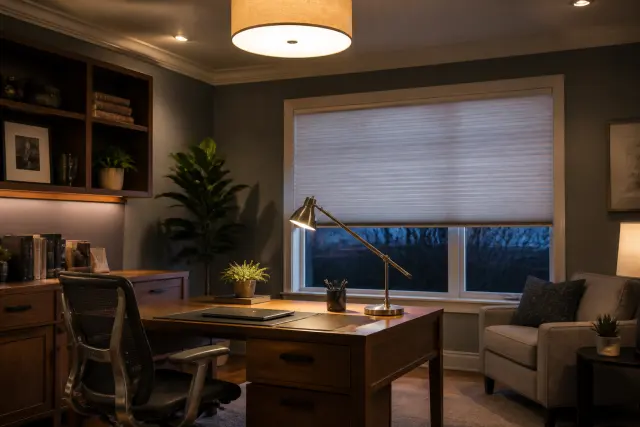
Home office lighting should support focused work at different times of day, not merely brighten the room. Relying on one overhead fixture often creates shadows on the desktop or leaves your face dim on video calls. A layered plan combines ambient light for general visibility, task light at the desk, and daylight control at windows.
Position task lighting to reduce shadows
Place a movable desk lamp on the opposite side of your writing hand so your arm does not cast a shadow across paper. Aim the light at the task rather than directly at your eyes or monitor. A lamp with an adjustable arm gives you more control for reading, writing, and video meetings. Avoid a bare bulb in your direct field of view, which can feel harsh over time.
For video calls, soft, even light in front of you is generally more flattering and practical than a bright light behind you. Window shades, curtains, or blinds help moderate strong sun. If your office gets intense afternoon exposure, consider light-filtering treatments and monitor placement before adding more lamps.
Maintain fixtures and manage electrical load
Dust lamp shades and clean fixtures periodically, since buildup reduces useful light. Replace damaged cords, loose plugs, or flickering fixtures promptly. Do not overload power strips, run cords under rugs, or use extension cords as a permanent substitute for adequate outlets. If a workspace needs new outlets, a dedicated circuit, or hardwired lighting, hire a qualified electrician and follow local permitting requirements.
7. Control Cables, Power, and Technology Clutter
Cable management is one of the least glamorous home office design ideas, but it has an outsized effect on usability and appearance. Start by grouping cords according to their destination: desktop equipment, charging, lighting, and network gear. Unplug and label items before reorganizing so you can identify the correct power adapter later.
Create a safe, serviceable cable route
Use desk-mounted trays, clips, or sleeves to guide cords along the underside or back of the desk. Leave enough slack for a sit-stand desk to move through its full range without pulling on plugs. Keep cables away from chair wheels, heaters, and damp locations. A surge protector can be appropriate for sensitive electronics, but it is not a solution for an overloaded circuit or damaged wiring.
Place power strips where switches and reset buttons remain accessible. Avoid daisy-chaining power strips or plugging one extension device into another. In older homes, have questionable outlets, warm receptacles, frequent breaker trips, or a lack of grounding evaluated by a licensed electrician rather than trying to solve the issue with adapters.
Put charging where it belongs
A small charging drawer, desktop dock, or designated shelf prevents phones, headphones, and spare batteries from spreading across the work surface. Keep drinks away from electronics, especially when chargers are near the desktop edge. This is also a good time to back up important work, update security settings, and keep a clear path to the modem or router if your office equipment depends on it.
8. Use Storage to Keep the Work Surface Clear
Storage works best when it reflects how often you use each item. Daily supplies belong in a top drawer, desktop caddy, or nearby open shelf. Weekly items can go in a cabinet or rolling pedestal. Archive files, replacement toner, and rarely used equipment can live in labeled boxes on a higher shelf or in another room.
Mix closed and open storage
Closed storage hides visual noise and is especially useful in a bedroom or shared living area. Open shelves can make a small office feel less bulky, but they require editing. Reserve open shelving for reference books, a few attractive containers, and items you use often. Use baskets or matching boxes to contain loose supplies rather than creating a row of unrelated objects.
If you store tax records, client information, medication-related paperwork, or other sensitive material, use a locking file box or cabinet and follow any privacy requirements that apply to your work. Do not leave confidential papers visible in a shared household or against a window. Shred documents that are no longer needed instead of tossing them into open recycling.
Give incoming paper a temporary home
Set up an inbox tray or wall pocket for mail, forms, and notes that need a decision. Review it on a regular schedule. This small system prevents the desktop from becoming a holding area for everything that enters the house, and it makes a compact office easier to reset at the end of the day.
9. Design a Background That Feels Personal but Professional
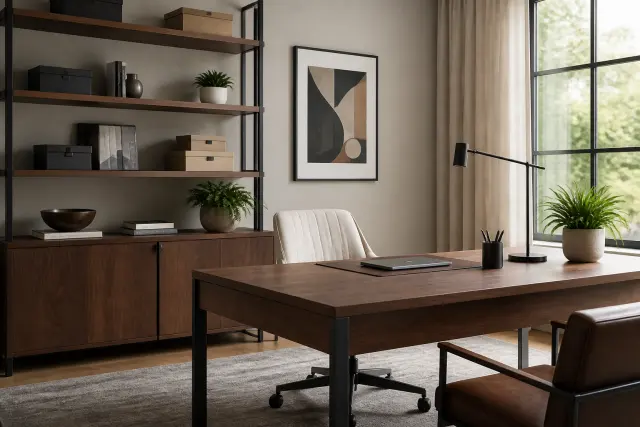
Your office should have personality, but visual calm is valuable when you need to concentrate or appear on camera. Begin with a restrained base: wall color, desk, chair, and storage. Then add layers such as framed art, a small rug, a plant, or a few meaningful objects. A limited palette helps mixed furniture look cohesive without making the room feel staged.
Plan the video-call view
Look at the background behind your chair through your computer camera. A plain wall, orderly bookcase, art, or a well-kept console can work well. Avoid putting personal documents, reflective surfaces, or a busy household pathway directly behind you. If changing the room is not practical, adjust the desk angle or use a simple, portable backdrop that can be put away when not needed.
Artwork and shelving should be securely installed, especially in earthquake-prone areas or homes with children and pets. Use appropriate anchors for the wall type and follow the manufacturer’s mounting instructions. Heavy bookcases should be anchored to wall studs or with a suitable anti-tip restraint rather than relying on weight alone.
Bring in plants with realistic care expectations
A plant can soften office equipment and improve the sense of connection to the outdoors. Choose one based on the light the room actually receives, not the light you wish it had. Use a saucer under the pot, check for water damage, and keep soil and leaves away from keyboards and outlets. A convincing low-maintenance alternative is better than repeatedly replacing a stressed plant.
10. Adapt the Office to Climate, Noise, and Household Needs
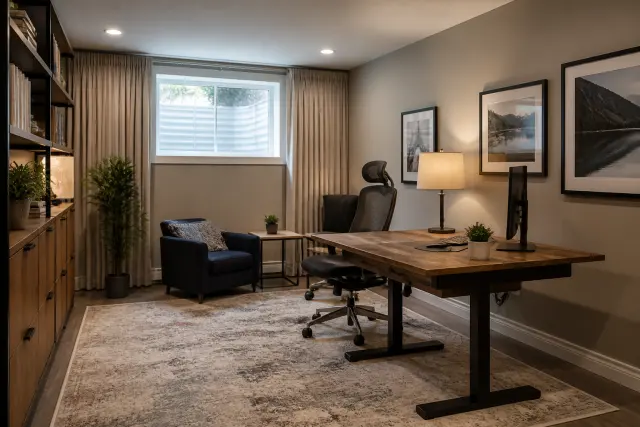
Comfort is a productivity feature. A sunny west-facing room can overheat in summer, while a basement office can feel cold, damp, or dim. Before buying a space heater, extra fan, or dehumidifier, address the room’s underlying conditions where possible: window coverings, weatherstripping, HVAC balancing, and safe airflow may provide a better long-term result.
Address temperature and humidity safely
Keep vents clear of desks, drapes, and storage boxes so conditioned air can circulate. Avoid placing electronics where condensation, water intrusion, or dampness is present. Portable heaters need stable placement, clear space around them, and careful adherence to their instructions; never use one with a damaged cord or leave it operating unattended. Persistent moisture, mildew odors, or visible water damage calls for a qualified professional to find and correct the source.
Sound can be managed with practical layers. Rugs, upholstered seating, curtains, and bookshelves help soften echoes, while door sweeps and weatherstripping can reduce some gaps around a door. These measures do not create true soundproofing, so plan confidential calls accordingly. If you need significant isolation for recording or specialized work, consult an acoustics professional or contractor before making permanent changes.
Know when permits or pros are appropriate
Local rules can apply when you convert a garage, basement, accessory structure, or other area into a regular workspace, particularly if the project adds wiring, plumbing, heating, egress changes, or structural work. Requirements vary by municipality and by the scope of the project. Check with your local building department and, where appropriate, a licensed contractor before beginning. Renters should also obtain written permission before altering walls, electrical systems, or built-ins.
Once the major decisions are made, set aside time for a final usability check. Sit at the desk, open drawers, roll the chair back, turn on the lights, start a video call, and trace every cable route. Small adjustments made now are much easier than redesigning the room after weeks of daily use.
Build a short maintenance routine into your calendar. Wipe the desktop, dust vents and lamps, sort incoming paper, inspect cords, and remove items that drifted in from other rooms. An office stays functional because it is regularly reset, not because it was perfectly organized on day one.
Conclusion
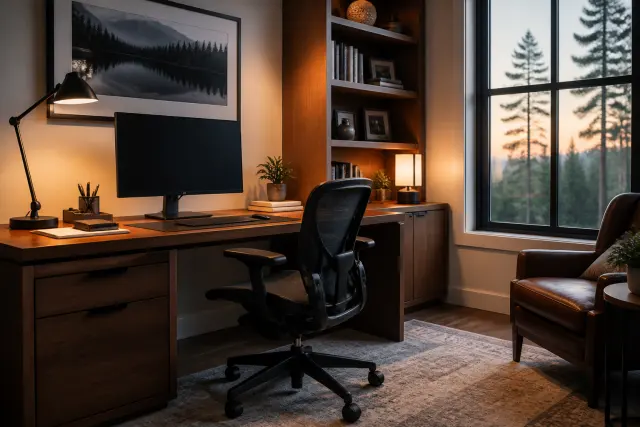
The most successful home office is not defined by its square footage or a single trend. It is a space that supports your body, protects your focus, and fits naturally within the way your household lives. Start with a clear work pattern and a workable location, then prioritize layout, ergonomics, lighting, and storage before spending on decorative details.
Make improvements in a sequence that solves real problems: adjust the chair and monitor, clear the desktop, improve task lighting, organize cords, and then add the finishes that make the room feel like yours. With a few intentional choices and periodic upkeep, even a small corner can become a reliable place to do your best work.
Frequently Asked Questions
What is the best location for a home office?
The best location balances privacy, electrical access, daylight control, and household traffic. A spare room is helpful but not required; a bedroom corner, dining room wall, or finished basement can work if the layout allows safe cable routing, chair movement, and storage.
How can I make a small home office feel bigger?
Use vertical storage, keep the desktop mostly clear, select furniture with a modest footprint, and limit the number of finishes and colors. A wall-mounted desk or compact desk paired with closed storage can preserve open floor space.
How should I position my desk near a window?
A desk positioned perpendicular to a window often provides comfortable side light with less monitor glare. Avoid facing directly into strong sun or sitting with a bright window directly behind you on video calls. Use adjustable shades to manage changing daylight.
Do I need a standing desk for an ergonomic home office?
No. A properly adjusted chair, desk, monitor, keyboard, and mouse are the starting point. A standing desk can add useful position changes, but it should be adjusted so you can work comfortably rather than forcing you to stand for long periods.
What is the safest way to manage office cords?
Route cables with clips, sleeves, or an under-desk tray; keep them away from chair wheels, heat sources, and wet areas; and keep power strips accessible. Do not run cords under rugs, daisy-chain power strips, or use damaged cords. Consult a licensed electrician for recurring electrical issues or new outlet needs.
How do I keep a shared home office organized?
Assign each person a defined work surface or storage zone, label drawers or bins, and create a shared inbox for paperwork that needs action. Closed storage and a brief end-of-day reset make it easier for the room to serve multiple people or purposes.